إدارة الملفات
File management
أنشئ المجلدات وانقل الملفات وأعد تسميتها وابحث عنها ونظّمها داخل التطبيق.
Create folders, move and rename files, search, and keep everything organized.
 ملفاتيMlfati
رتّب ملفاتك، شغّل وسائطك، وأنجز أعمالك اليومية في تطبيق واحد.
Organize your files, play your media, and get everyday tasks done in one app.
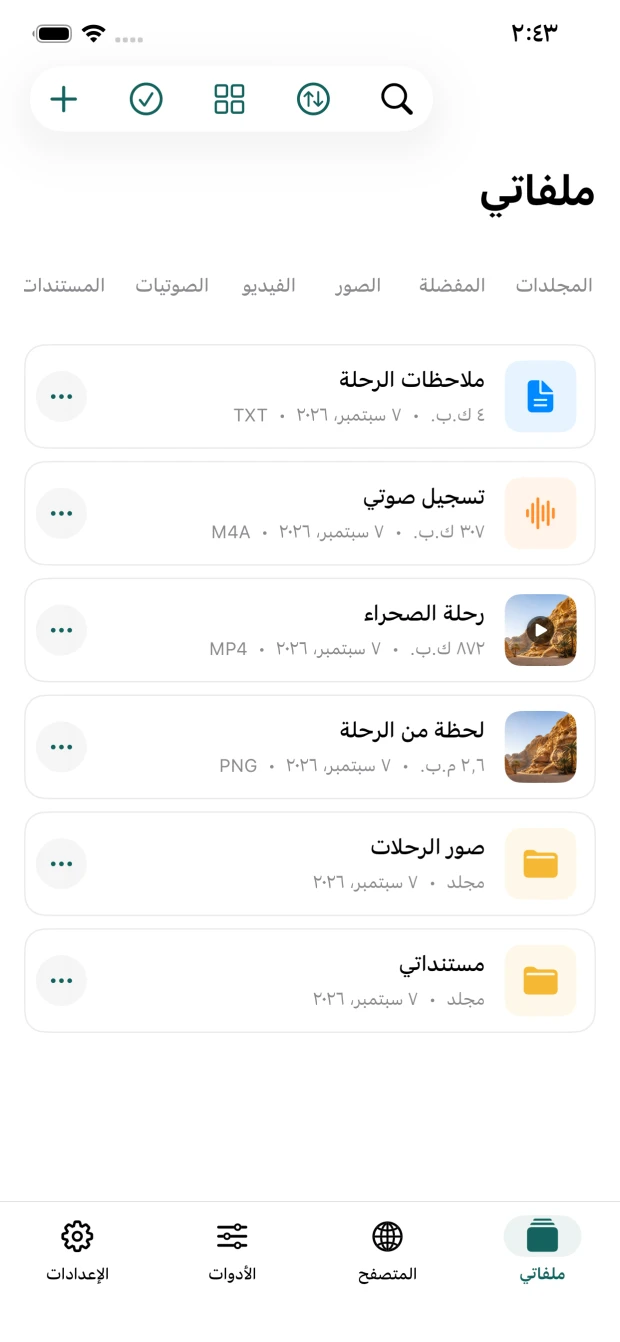
تطبيق بسيط لتنظيم الملفات وتشغيل الوسائط وتحريرها واستخدام أدوات PDF والنقل المحلي، مع إمكانية ربط Google Drive اختيارياً للوصول إلى ملفاتك من أجهزتك.
A straightforward app for organizing files, playing and editing media, working with PDFs, and transferring files locally, with optional Google Drive access across your devices.
أنشئ المجلدات وانقل الملفات وأعد تسميتها وابحث عنها ونظّمها داخل التطبيق.
Create folders, move and rename files, search, and keep everything organized.
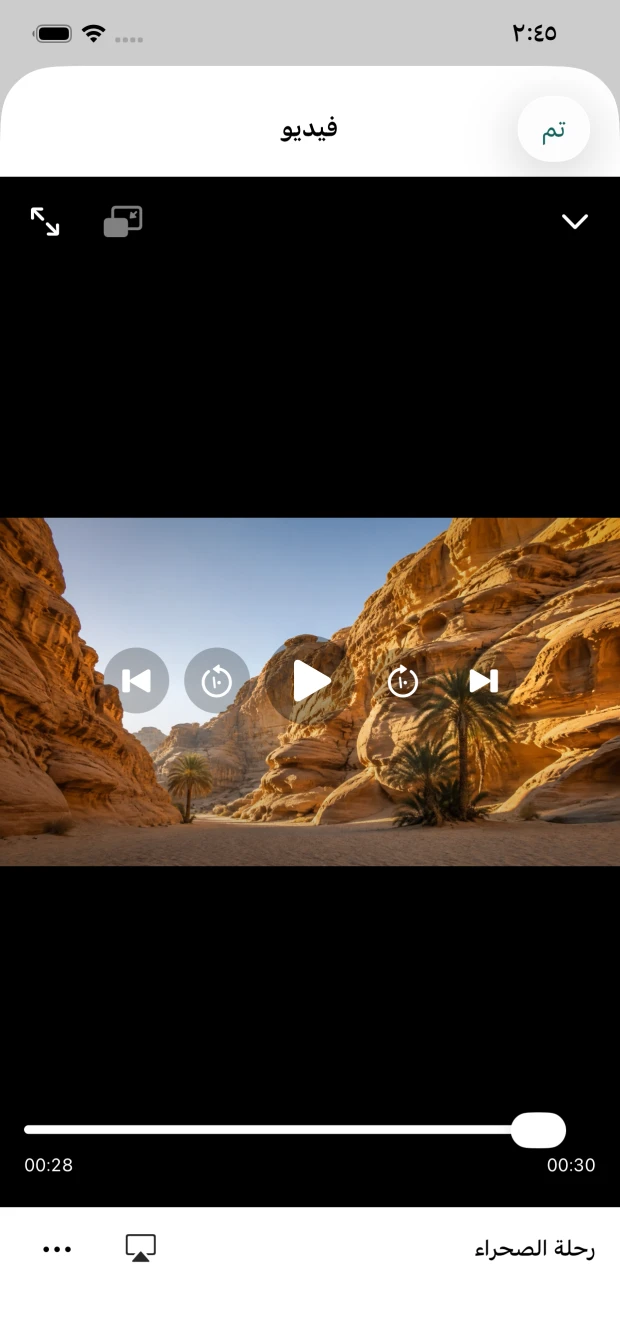
شغّل الصوت والفيديو داخل التطبيق مع مشغل مصغر وتشغيل في الخلفية وصورة داخل صورة.
Play audio and video with a mini player, background audio, and Picture in Picture.
قص الوسائط وعدّل الصور واستخرج الصوت وحوّل الملفات باستخدام أدوات مدمجة.
Trim media, edit images, extract audio, and convert files with built-in tools.
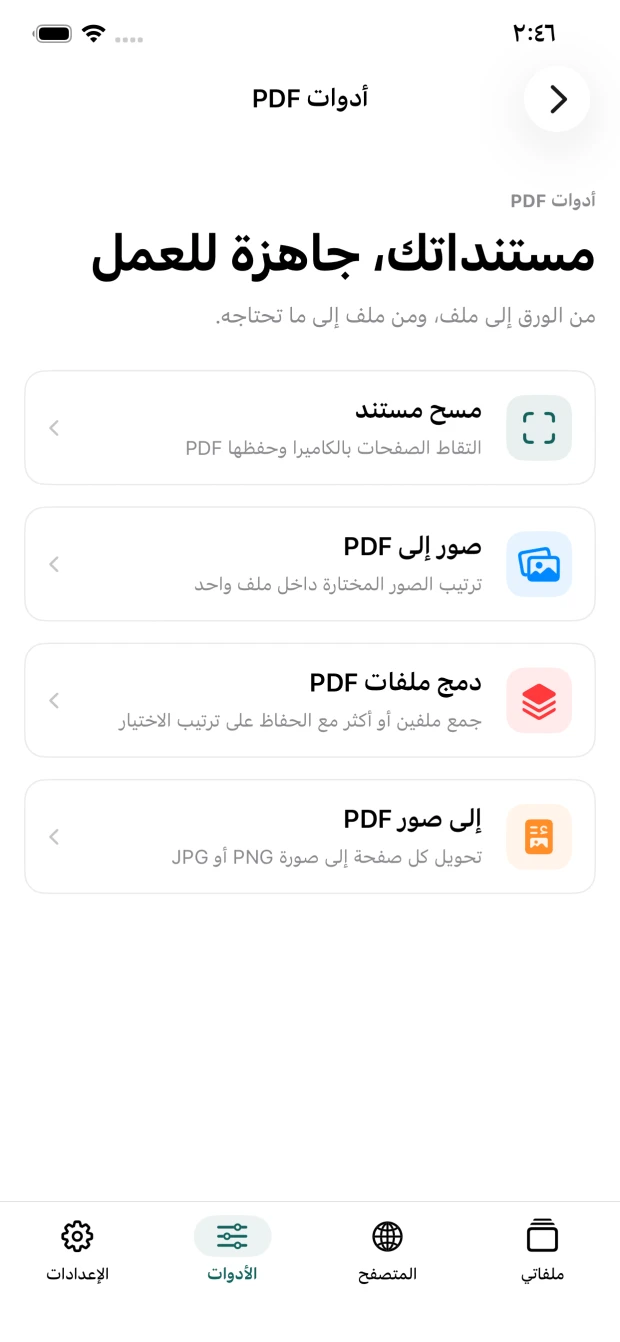
امسح المستندات وادمج ملفات PDF وحوّل الصفحات واضغط الملفات أو فك ضغطها.
Scan documents, merge PDFs, convert pages, and compress or extract ZIP files.
أرسل واستقبل الملفات مباشرة عبر شبكة Wi‑Fi المحلية نفسها.
Send and receive files directly over the same local Wi‑Fi network.
احمِ التطبيق أو مجلدات محددة برمز دخول واستخدم Face ID عند توفره.
Protect the app or selected folders with a passcode and Face ID where available.
يمكنك ربط حساب Google اختيارياً من إعدادات التطبيق. يستخدم ملفاتي صلاحية drive.file للوصول إلى الملفات والمجلدات التي ينشئها التطبيق أو التي تختار فتحها معه فقط.
You can optionally connect your Google account from the app settings. Mlfati uses the drive.file scope to access only files and folders it creates or that you choose to open with it.
كيف نستخدم بيانات GoogleHow Google data is usedأنت تبدأ الربط. لا يتم الاتصال بحساب Google دون اختيارك وموافقتك.
You initiate the connection. Google access starts only after your choice and consent.
وصول محدود. يستخدم التطبيق الملفات اللازمة لميزات الرفع والتنزيل والتنظيم التي تراها داخله.
Limited access. The app uses files only for the upload, download, and organization features you see.
تحكم كامل. يمكنك قطع الاتصال من الإعدادات في أي وقت، فتُحذف رموز الدخول المحفوظة على جهازك.
You stay in control. Disconnect at any time to remove saved Google authorization tokens from your device.
لديك سؤال عن التطبيق أو Google Drive؟ استخدم صفحة الدعم للتواصل معنا.
Have a question about the app or Google Drive? Use our support page to contact us.